Import
Bring in your trade history without sharing a login
Upload the Activity Statement you download from Interactive Brokers, or add purchases, sales and dividends from any other brokerage by hand. GetHossa shows exactly what it will import before saving anything, and importing the same file again never creates duplicates.
No brokerage credentials
You upload a file you downloaded yourself. GetHossa never connects to your account and can't place orders.
Preview before saving
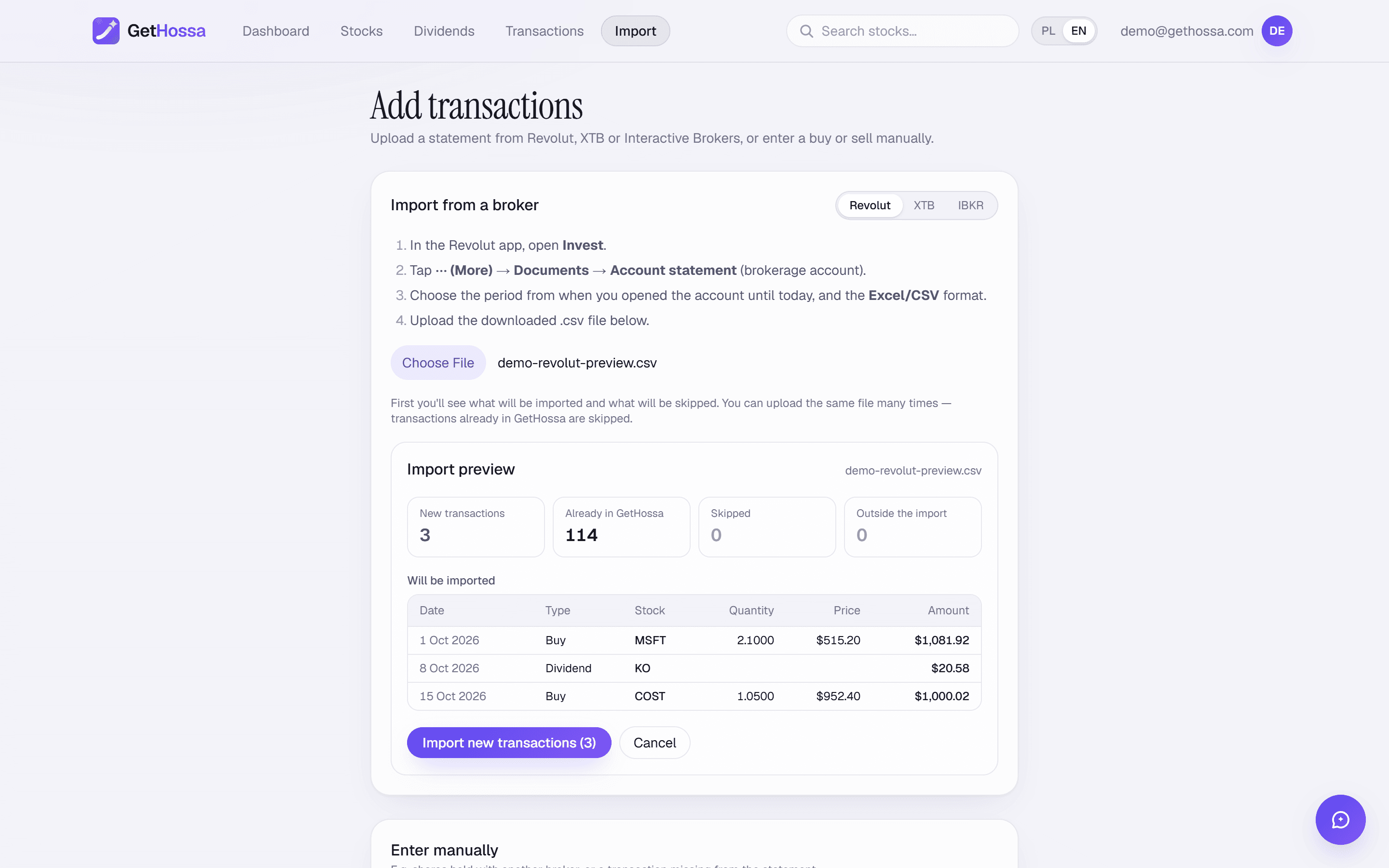
See new trades, ones already in GetHossa, rows that can't be read and why, and items outside the import's scope.
Any brokerage by hand
Date, shares, price and an optional fee, checked against that day's trading range so typos stand out.
What it does
The import page is where your history gets into GetHossa. There are two ways in:
- Upload a statement. Interactive Brokers Activity Statements (CSV) are read directly. Revolut statements and XTB account history exports are supported as well.
- Enter trades by hand. For Schwab, Fidelity, Robinhood, Vanguard, E*TRADE or any other brokerage, add each purchase or sale with its date, number of shares, price and an optional fee, and each dividend with its date and the amount you received.
GetHossa never asks for your brokerage username, password or API keys. It works only with files you download yourself and entries you type in.
How to import from Interactive Brokers
- Log in to Client Portal.
- Open Performance & Reports → Statements → Activity Statement.
- Choose Custom Date Range from the day you opened the account, format CSV, language English.
- Click Run and download the file.
- Upload it on the import page, with IBKR selected, and check the file.
If IBKR won't let you pick such a long period, run one Annual statement per year and upload them all. Overlapping trades are recognised and skipped.
GetHossa reads stock and ETF trades from the Trades section, and dividends from the Dividends section combined with any Withholding Tax rows into one net payment. Options, futures, forex and other asset categories are listed as outside the import's scope. Listing exchanges come from the statement's instrument information, so an ETF bought on a German venue is priced on Xetra rather than confused with a US ticker.
The preview
Before anything is saved you see four counts: new transactions, already in GetHossa, skipped (rows that couldn't be read, each with the reason), and outside the import's scope (for example, options or forex trades). Rows that need a second look are flagged. Only when you accept the preview are the new trades stored. If you correct a trade's quantity, price or fee later, the correction survives a re-import of the same file.
Adding trades by hand
Pick the stock with the search box, choose buy or sell, and enter the date, shares, price per share and fee. GetHossa looks up that day's low and high and tells you whether your price falls inside the range. It's only a hint, and you can save anyway. It won't let you sell more shares than you held on that date. For a stock priced in another currency, the dollar amount is calculated at the market exchange rate on the trade date.
To record a dividend, choose Dividend and enter the payment date, the stock and the amount you received.
Who it's for
- IBKR customers who want a full history, including dividends, in a couple of minutes.
- Investors with accounts at several brokerages who want one view and one S&P 500 comparison across all of them. See tracking a portfolio across multiple brokerages.
- People who'd rather not link a brokerage account to a third-party app.
Limits
- Only buys, sells and dividends are imported. Stock splits are handled automatically: GetHossa takes split dates from Yahoo Finance and restates earlier trades in today's share count, for imports and manual entries alike. Spin-offs, mergers and shares transferred in from another broker aren't modelled yet.
- Manual dividends are recorded as entered. Enter the amount that actually reached your account.
- Cash balances aren't tracked; only invested money counts.
- For IBKR imports and manual entries, foreign trades are converted at the day's market rate, which may differ slightly from the rate your broker applied.
- Brokers change file formats from time to time; if an import stops working, let us know.
More on inputs and data sources is on the methodology page. Ready? Create an account and import your first statement.
Frequently asked questions
Do you connect to my brokerage through Plaid or an API?+
No. GetHossa has no connection to your brokerage at all. You download a statement yourself and upload it, or type trades in by hand.
Can I import from Schwab, Fidelity or Robinhood?+
Not as a file yet. Direct import covers Interactive Brokers, Revolut and XTB. For other brokerages, add each purchase and sale by hand with its date, shares, price and fee, and each dividend with its date and amount.
What happens if I upload the same statement twice?+
Nothing is duplicated. The preview counts those trades as already in GetHossa and only new ones are imported, so you can upload a fresh full-history statement whenever you like.
Can I fix a trade after importing it?+
Yes. On the transactions page you can correct the number of shares, the price or the fee of any purchase or sale, and the correction is kept if you import the same file again.
Try it on your own portfolio
The account is free. Import your history or add trades by hand — you'll see the result right away.
Create account